
Dicts
What you'll learn:
- read, add and change the pairs of a dict by key;
- read a missing key without an error using
get; - count how many times each word occurs;
- drop repeats and compare collections with sets.
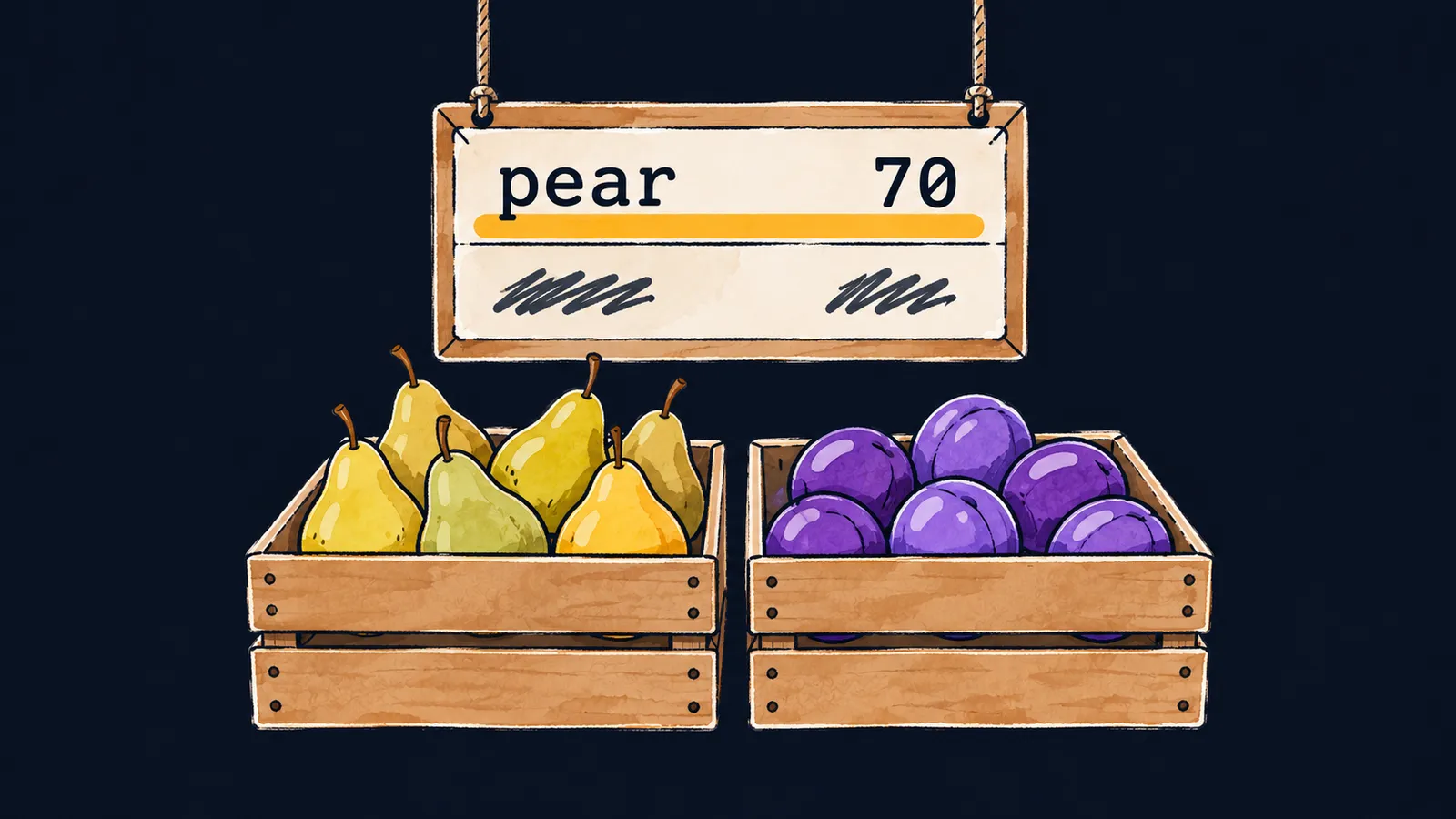
Picture a fruit stall with a price board hanging above it. Each row has a fruit's name on the left and its price on the right: the row pear shows 70.
To find the price of a pear, the seller does not count the rows. They find the row by its name and read the price next to it.
Now try keeping the same prices in two lists: one for the names, the other for the prices. To find a pear's price, you find the index of "pear" in the first list. Then you take the element with the same index from the second. On top of that, the lists drift apart: a name gets removed from one, and its price is forgotten in the other.
A dict stores pairs, like the rows of the board: a key leads straight to its value. The key is the name in the row, and the value is the price next to it:
prices = {"pear": 70, "plum": 40}
print(prices["pear"])  # 70
prices["kiwi"] = 90
prices["plum"] = 45
print(prices)  # {'pear': 70, 'plum': 45, 'kiwi': 90}
print(len(prices))  # 3
Let's go through the example line by line:
prices = {"pear": 70, "plum": 40}creates a dict of two pairs.prices["pear"]finds the pair with the key"pear"and gives70.prices["kiwi"] = 90adds a new row to the board: there was no key"kiwi"yet.prices["plum"] = 45adds no row; it changes the price of plums.print(prices)shows all three pairs, andlen(prices)returns their number,3.
Reading and writing
In code, a dict is written in curly braces: "key: value" pairs separated by commas. A value is read by its key in square brackets, the way a list element is read by its index. A write by key comes in two variants:
- writing to a new key adds a pair;
- writing to an existing key replaces its value.
So each key appears in a dict once, and len returns the number of pairs. This is where the board analogy stops working. On a real board you can write pear twice with different prices, but in a dict the second write replaces the first.
A read by key does not scan the pairs one by one like a loop over a list. So its speed hardly depends on the size of the dict. In a dict of a million pairs, a pear's price is found as fast as in a dict of two.
What else to know about a dict:
- a value can be anything: a number, a string, a list;
- an empty dict is written as
{}; - the statement
del prices["kiwi"]removes a pair together with its key; - the
inoperator checks the keys, not the values:"pear" in pricesgivesTrue, and70 in pricesgivesFalse.
Two names, one dict
Like a list, a dict is not copied by b = a: both names lead to the very same board. A write through b is visible through a too.
There are two ways to get a separate copy with the same pairs:
dict(prices)builds a new dict from the pairs of the old one;prices.copy()does the same with a dict method.
The get method
Reading a missing key in square brackets stops the program with an error. It is like asking the seller for the price of kiwis that are not on the board. The get method reads without an error: for a missing key, it returns None, or the second argument if one is passed.
stock = {"apple": 3, "pear": 0}
print(stock.get("plum"))  # None
print(stock.get("plum", 10))  # 10
print(stock.get("pear", 10))  # 0
print("plum" in stock)  # False
Let's go through it line by line:
stock.get("plum")givesNone: there is no key"plum", and no second argument was passed.stock.get("plum", 10)gives10: the key is still missing, sogetreturns the second argument.stock.get("pear", 10)gives0: the key"pear"is there, sogetreturns its value, even though that value is falsy."plum" in stockgivesFalse:getdoes not change the dict itself, and the key"plum"has not appeared in it.
The second argument is used only when the key is missing. Pass in it what a missing key means: 0 for a stock count, an empty string for a name.
Interviewers like to ask this: "How does d[k] differ from d.get(k)?" The answer:
d[k]raises aKeyErrorfor a missing key;d.get(k)returnsNone, andd.get(k, x)returnsx;- neither of them adds the key to the dict.
Common mistake
A key is read in square brackets without checking that it is there:
stock = {"apple": 3, "pear": 0}
print(stock["plum"]) # ✗KeyError: 'plum'The KeyError names the key that is not in the dict. If a missing key is a normal case, read the value with get, or first check "plum" in stock in an if. For example, stock.get("plum", 0) gives 0, and the program goes on.
Key points
- A dict stores "key—value" pairs:
d[k]reads a value, andd[k] = vadds a pair or replaces the value. - Each key appears in a dict once, and
inchecks the keys. b = agives a second name to the same dict, anddict(a)anda.copy()give a copy.d.get(k, x)returnsxinstead of aKeyErrorwhen the key is missing.
Subscribe to take the course
The course is free. Sign in with Telegram and subscribe to the channel to open every lesson.
















