
Strings
What you'll learn:
- count the characters of a string, check whether it is empty and join strings;
- explain why
countandutf8.countdiffer for the string"café"; - get characters out of a string without
s[0]: throughfirst,prefixand a string index; - convert a string to capital and small letters, search it for text, split it into pieces and join them back.
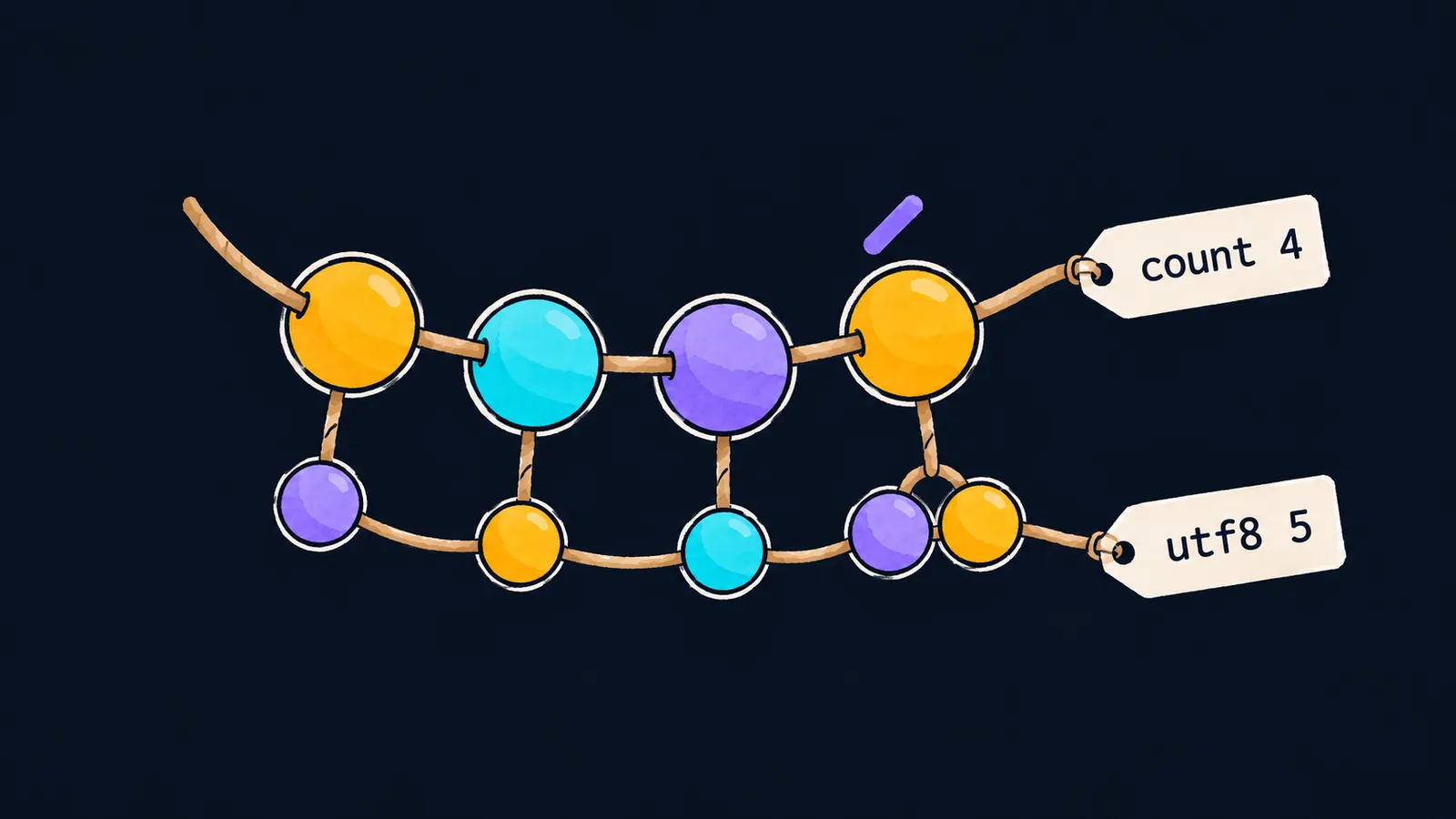
Picture a string of beads. Each large bead is one character: a letter, a digit, a space or a punctuation mark. The string "café" is a string of four large beads: c, a, f and é.
Look closer, and small beads hang under each large one. These are bytes — small numbers the computer uses to write a character into memory. One small bead hangs under c, a and f, and two hang under é.
In this lesson we work only with the large beads: we count them, thread new ones on and compare two strings of beads. The small beads aren't needed yet.
Why count characters? An app won't let you go on with an empty name field, and a game nickname is often limited to 12 characters. To check rules like these, you need to know how many characters a string has and whether it has any at all:
let name = "Anna"
let empty = ""
print(name.count, name.isEmpty) // 4 false
print(empty.count, empty.isEmpty) // 0 true
Let's go through the program line by line:
let name = "Anna"is a string of four beads.let empty = ""is a string with no beads at all. Two quotes in a row write the empty string.name.countgives the number of characters,4, andname.isEmptyanswers whether the string is empty:false.- For the empty string
countis0, andisEmptygivestrue.
How many characters a string has
The dot asks the string about something it knows about itself. name.count reads as "the number of characters in name".
count — the number of characters
count counts the large beads, that is, the characters. A space and a punctuation mark are characters too: the string "Hi, Anna" has eight.
isEmpty — is the string empty
isEmpty gives true when the string has no characters at all. A string of one space " " is not empty: it has one character, and isEmpty gives false.
You can also check for emptiness by comparing name.count == 0. But Swift code uses isEmpty: it is shorter and reads as the question "is the string empty?".
Joining strings
Two strings are joined with the + operator, and the += operator appends a string to the end of a variable:
var greeting = "Hello"
greeting += ", " + name
print(greeting) // Hello, Anna
print(greeting.count) // 11
Line by line:
var greeting = "Hello"is a variable: you can add beads to this string.", " + namejoins two strings into a new one:", Anna".+=appends it to the end ofgreeting. It does the same asgreeting = greeting + ", " + name.printprintsHello, Anna, andcountgives11: the comma and the space count too.
Here the bead picture is inaccurate. A real bead can't be on two strings at once. But + copies the characters: after joining, name still holds "Anna".
Comparing strings
Strings are compared with the == and < operators. == checks that two strings match character for character.
As you already know, < compares strings character by character from left to right, almost the way a dictionary orders words: "apple" < "banana" gives true. But in this dictionary every capital Latin letter comes before the small ones, so "Zoo" < "apple" gives true too.
A space is a character like any letter. That's why "Anna " == "Anna" gives false: the first string has five characters and the second has four. Because of an extra space at the end of a typed name, two names that look identical often don't match.
Quotes and line breaks inside a string
A quote ends a string, and a line break can't be typed inside ordinary quotes. So how do you write text with quotes, or text of several lines? There are three ways to write it:
print("Say \"hi\"") // Say "hi"
print("one\ntwo") // one
                  // two
let poem = """
    Roses are red,
    "Swift" is new.
    """
print(poem) // Roses are red,
            // "Swift" is new.
\" — a quote inside a string
A backslash before a quote tells Swift: this is not the end of the string but the quote mark itself. In the same way, \\ writes the backslash itself.
\n — a line break
\n is one invisible character, a line break. Where it stands, print moves to a new line, so "one\ntwo" prints as two lines. When output takes several lines, the examples write it in comments one under another. count counts \n as one character: "one\ntwo" has seven.
""" — a multi-line string
A multi-line string starts and ends with three quotes, each set on its own line. Everything on the lines between them goes into the text as is: line breaks, and quotes without a backslash. The line break right after the opening """ and the one before the closing """ are not part of the text: poem starts with Roses and ends with the period.
Swift removes the indentation in front of the closing """ from every line of the text. So you can indent a multi-line string along with the rest of the code, and the extra spaces don't get into the text.
Common mistake
A string was declared with let, and then the code tried to append to it:
let title = "Swift"
title += " 6" // ✗error: left side of mutating operator isn't mutable: 'title' is a 'let' constantThe program does not compile: += changes the string itself, and title is a constant. If you need to append to a string, declare it with var. If you need a new string, build it into another constant: let fullTitle = title + " 6".
Key points
countis the number of characters in a string, andisEmptychecks that the string is empty; for""countis0.+joins two strings into a new one, and+=appends a string to the end of avarvariable.- A space, a comma and the line break
\nare characters like letters, andcountcounts them. \"writes a quote inside a string, and"""starts a multi-line string.


