
Constants and variables
What you'll learn:
- declare constants with
letand variables withvar, and choose between them; - name Swift's basic types and state a type explicitly;
- turn a value of one type into another with
Int(…),Double(…)andString(…); - put values and expressions into a string with
\( ).
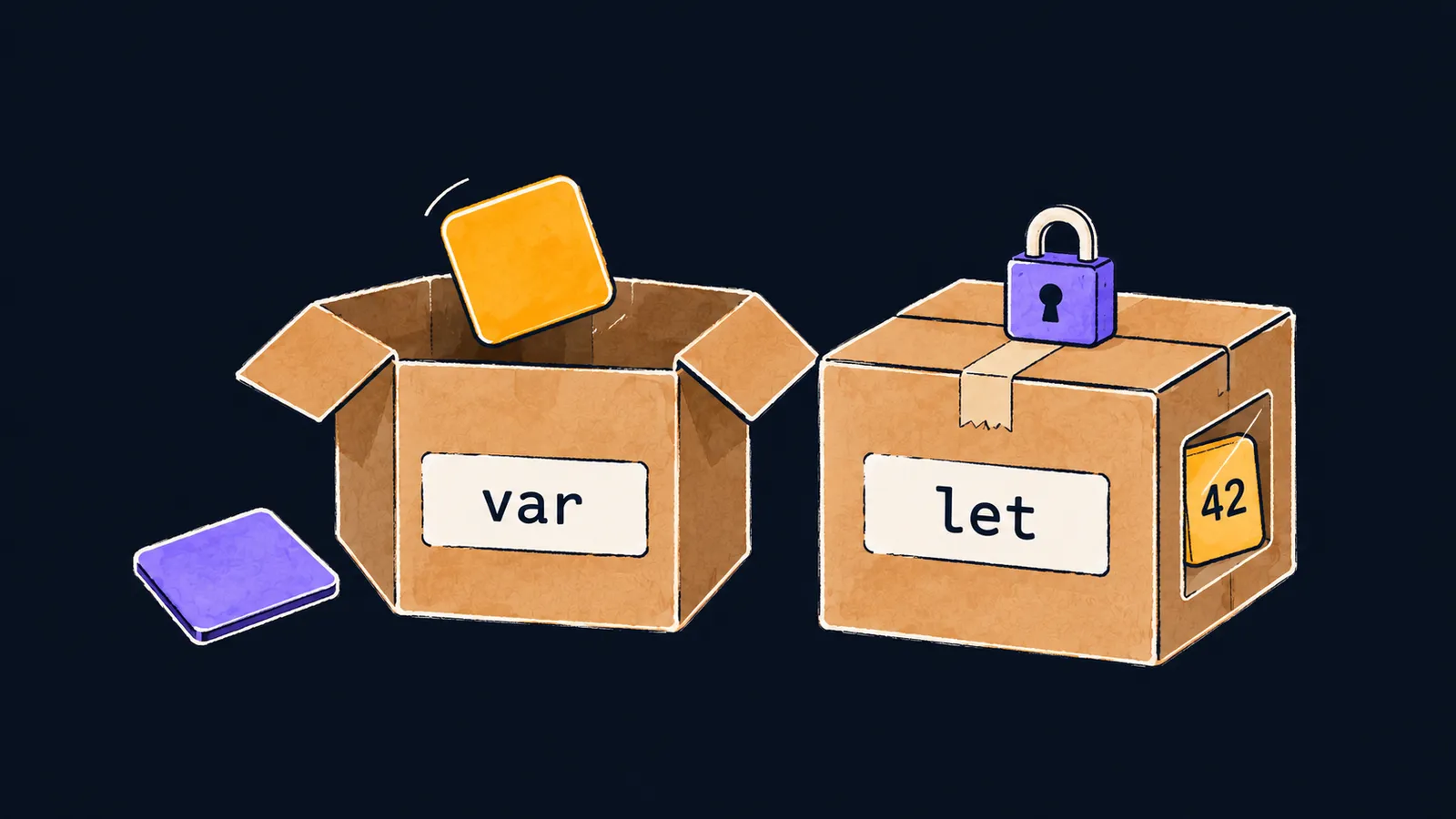
Picture a shelf of boxes. Each box has a label with a name, and inside it lies a value: a number, a word, or a "yes" or "no". The program finds the right box by its label and looks inside.
There are two kinds of boxes. One you can open, take the old value out of and put a new one in. The other is sealed the moment a value goes in, and it never opens again. In Swift the open box is called a variable, and the sealed one a constant.
Why does a program need boxes? It remembers values so it can read them on later lines: a player's name, a score, a number of tries. The player's name stays the same for the whole game, while the score grows. Here is how you write that in Swift:
let player = "Anna"
var score = 0
print(player, score)  // Anna 0
score = 50
print(player, score)  // Anna 50
Let's walk through the program line by line:
let player = "Anna"makes a sealed boxplayerand puts the text"Anna"in it.var score = 0makes an open boxscoreholding the number0.print(player, score)looks into both boxes and printsAnna 0.score = 50opens the boxscoreand puts50in it instead of0.- The second
printprintsAnna 50: the name is the same, but the score has changed.
Two declaring words
To declare a constant or a variable is to make a named box for it. A constant and a variable are declared the same way; only the first word differs. The line var score = 0 has four parts:
var— which kind of box to make;score— the name on the label;=— the sign the value comes after;0— the starting value.
let: a constant
The word let reads like plain English: let player = "Anna" means "let player be "Anna"". A constant gets its value once, when it is declared. You can read it as often as you like, but you cannot put anything else in it.
var: a variable
The word var is short for "variable". You can give a variable a new value as many times as you like while the program runs.
Names
Names in Swift are usually English words. The first word starts with a lowercase letter, and every next word with a capital: score, maxScore, playerName.
Assignment
The line score = 50 is an assignment: it puts a new value into a variable. There is no var in this line: the box already exists, so it is only opened.
An assignment first works out the right side, then puts the result into the box on the left. That is why a new value can be built from the old one:
score = score + 25
print(score) // 75- Swift reads the old value
50fromscore. - It adds
25to it and gets75. - It puts
75back intoscore, and50is gone.
Here the box picture is off. If you take something out of a real box, the box is left empty. But reading a value—in print(score) or in score + 25—takes nothing out: after the read, the box holds the same thing.
Press "Next step" and watch the two boxes: score changes on every assignment, while bonus holds 10 until the program ends.
1let bonus = 102var score = 03print(score, bonus)4score = score + bonus5print(score, bonus)6score = score + bonus7print(score, bonus)8score = 09print(score, bonus)
The constant bonus is sealed with the number 10 until the program ends.
let first
Swift developers declare values with let and write var only when the value will change. The rule has two reasons:
- a reader of the code sees at once that the value will not change and does not hunt for the line that rewrites it;
- the compiler guards the constant and finds an accidental assignment to it before the program runs.
Interviewers like to ask: "What is the difference between let and var?" The answer has two parts:
letdeclares a constant: it gets its value once, and you cannot assign a new one;vardeclares a variable: an assignment=can put a new value into it.
Common mistake
A value was declared with let, and then the code tried to change it:
let limit = 3
limit = 5 // ✗error: cannot assign to value: 'limit' is a 'let' constantAs you already know, the compiler checks the whole file before the program runs, so the program prints nothing, not even the lines above the error. Next to the error, Swift itself suggests the fix: change let to var. Do that if the value has to change: var limit = 3.
Key points
letdeclares a constant: it gets its value once, and you cannot change it.vardeclares a variable, and an assignment=puts a new value into it.- An assignment works out the right side first, so
score = score + 25builds on the old value. - Declare with
let, and writevarwhen the value will change.


