
throw and try…catch
What you'll learn:
- throw an error with
throwand catch it intry…catch; - explain how an error travels up the chain of calls to the nearest
catch; - clean up in
finallywhatever the outcome; - tell errors apart by
nameandinstanceof, and create your own error classes.
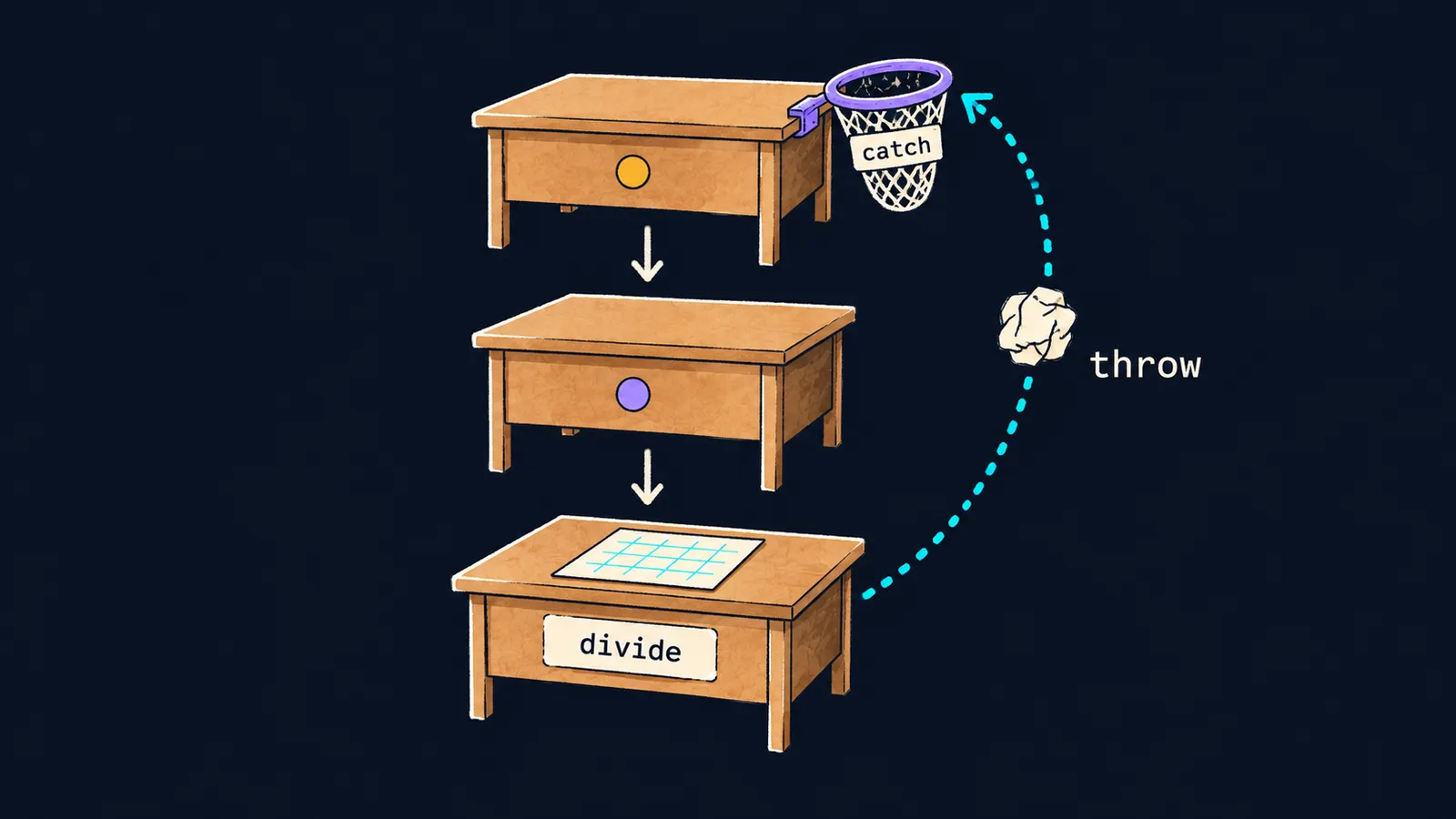
Picture a chain of tasks. A manager asks an assistant to prepare a report, and the assistant asks an intern to count the figures. The intern was given an empty table and cannot count anything.
The intern will not make up an answer. He throws a note back up with the reason: "the table is empty". The note flies back along the chain, and the first person who prepared for such a case catches it. If nobody prepared, all the work stops.
That is how errors work in JavaScript. The errors of earlier themes — ReferenceError, TypeError, RangeError — stopped the program. A function can stop it too when it gets a value it cannot work with. Division by zero is not an error in JavaScript and gives Infinity, so the function divide checks the divisor:
function divide(a, b) {
    if (b === 0) {
        throw new Error("division by zero");
    }
    return a / b;
}

console.log(divide(6, 3)); // 2
console.log(divide(1, 0)); // ✗
console.log("end");Error: division by zeroLet's see what happened:
divide(6, 3)passed the check and returned2, and the program printed it.divide(1, 0)saw a zero divisor and threw an error.- Nobody caught this error, and the program stopped, as a
ReferenceErrordid in the first theme. - The line
endwas never printed.
Throwing an error
The expression new Error("division by zero") creates an error object — that very note. Error is a built-in class, and the string in parentheses becomes the error's text.
The throw statement throws this object. Here is what happens then:
- the function stops at that line, as at a
return, but returns no value; - the error goes out to the code that called the function and stops that code too;
- so it travels on, call after call, until someone catches it.
The errors of earlier themes work the same way: JavaScript itself throws TypeError and ReferenceError. Nobody caught them, so the program stopped.
Catching an error
Code that may throw an error goes into a try block. If an error is thrown in it, the rest of the block is skipped and execution moves to the catch block. There the error is caught: the program does not stop and goes on after catch.
function divide(a, b) {
    if (b === 0) {
        throw new Error("division by zero");
    }
    return a / b;
}

try {
    console.log(divide(6, 3)); // 2
    console.log(divide(1, 0));
    console.log("skipped");
} catch (e) {
    console.log(e.message); // division by zero
}
console.log("end"); // end
Let's go step by step:
divide(6, 3)returns2, and the first line of thetryblock prints it.divide(1, 0)throws an error, and the lineskippeddoes not run.- Execution moves to
catch, which prints the error's text. - After
catchthe program goes on and printsend.
The parentheses after catch hold the name e: the thrown object lands in it. The message property of that object holds the text passed to new Error. If the try block finishes without errors, the catch block does not run at all.
throw works the same inside a function and directly in a try block: the lines of the block after it are skipped.
The error's path through calls
Recall the call stack from the recursion theme: each unfinished call takes its own record in it. A thrown error removes these records one by one, from the top down. In every function it passes through, the remaining lines are skipped. Only a try…catch around the call can stop the error.
Press "Next step" and watch the step where check throws: the frames of check and double vanish at once, and the line return v * 2 never runs.
1function check(n) {2 if (n < 0) {3 throw new Error("negative");4 }5 return n;6}7 8function double(n) {9 const v = check(n);10 return v * 2;11}12 13try {14 console.log(double(3));15 console.log(double(-1));16 console.log("skipped");17} catch (e) {18 console.log(e.message);19}20console.log("end");
Inside try the program calls double(3) and waits for the result.
Here the note picture stops working. A person in the chain could decide whether to catch the note or not. A function without try has no choice: the error stops it on its own.
Interviewers like to ask what happens to an error thrown deep inside a nested call. It travels up the call stack to the nearest try…catch, and if there is none, the program stops.
Common mistake
A variable is declared inside try and read after it:
try {
    const result = divide(6, 3);
} catch (e) {
    console.log(e.message);
}
console.log(result); // ✗ReferenceError: result is not definedA try block is a {} block like the one of an if. And const and let exist only in their own block. Declare the variable with let before try and only assign it inside: let result;, then result = divide(6, 3);.
Key points
throwthrows an error object, such asnew Error("text"), and stops the function.- An error travels up the call stack to the nearest
catch, skipping every line afterthrow. catch (e)receives the thrown object, ande.messageholds its text.- An uncaught error stops the program.
Subscribe to take the course
The course is free. Sign in with Telegram and subscribe to the channel to open every lesson.
















