
Objects
What you'll learn:
- group data into an object and read its properties through a dot and square brackets;
- iterate over an object's keys and values and explain the order they come in;
- write methods and tell a copy of an object from a second reference to the same object;
- unpack an object into variables and read nested properties safely with
?..
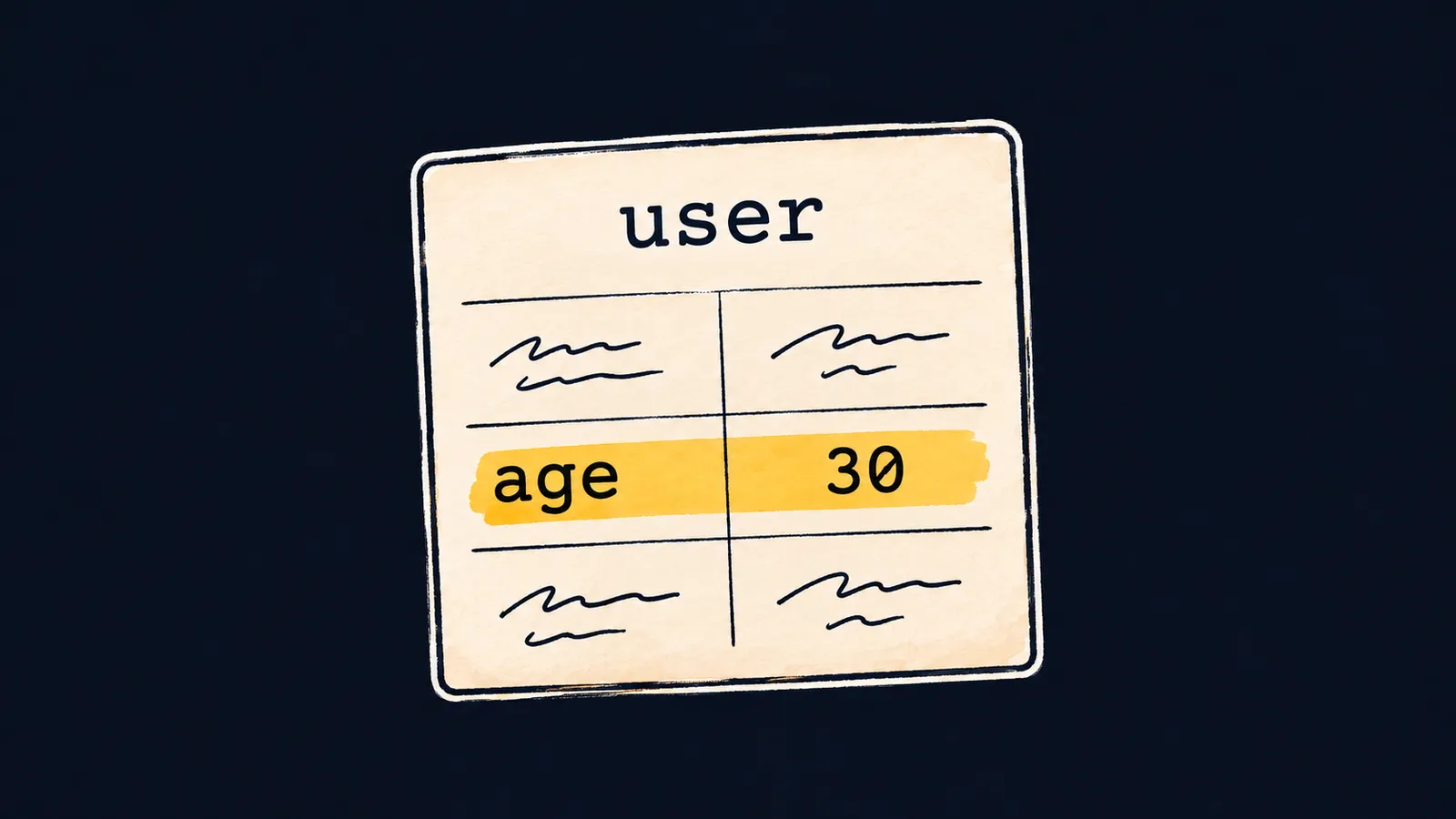
Picture a form in an HR office. It has lines with labels: "Name", "Age", "City". To find the age, you do not look for the third line from the top; you look for the line labeled "Age".
An array cannot do that. A name, an age and a city can go into an array, ["Ann", 30, "Oslo"], but its elements differ only by their indexes. user[1] does not tell you that it holds the age.
An object keeps each value under its own name, the way a form keeps it under a line's label:
const user = { name: "Ann", age: 30, city: "Oslo" };

console.log(user.name); // Ann
console.log(user["age"]); // 30
console.log(user); // { name: 'Ann', age: 30, city: 'Oslo' }
console.log(typeof user); // object
Let's go through the example line by line:
- The first line creates an object with three properties and puts it into the constant
user. user.namefinds the value labelednameand printsAnn.user["age"]reads the age through square brackets, the second way, covered below.console.log(user)prints the whole object in curly braces, with the strings inside in single quotes.typeof usergivesobject.
Properties and keys
An object is a set of properties in curly braces, separated by commas. A property is a pair of a key and a value. Left of the colon stands the key, the property's name; right of it stands a value of any type.
On the form, the key is a line's label, and the value is what is written on the line.
The value can also be an array or another object. Given const user = { name: "Ann", address: { city: "Oslo" } }, a chain of dots leads to the city: user.address.city.
Keys inside the curly braces of an object are written without quotes when a key looks like a variable name.
Here the form analogy stops working. The lines of a paper form are printed in advance, while an object can get a new property or lose an old one at any moment.
Dot and square brackets
There are two ways to read a property. After a dot, the key's name is written literally: user.name reads the property name. Square brackets hold an expression: JavaScript evaluates it first, and the result becomes the key. That is why the brackets can hold a variable:
const user = { name: "Ann", age: 30 };
const field = "name";

console.log(user[field]); // Ann
console.log(user.field); // undefined
console.log(user["na" + "me"]); // Ann
Let's see what each line reads:
- The variable
fieldholds the string"name", souser[field]reads the propertyname. user.fieldlooks for a property literally namedfield, which the object does not have. A missing key givesundefined, not an error.user["na" + "me"]first joins the string"name"and then reads the property with that key.
Brackets are also needed for a key with a space or a hyphen: user["home city"]. Inside an object's curly braces, such a key goes in quotes.
Which way to choose:
- a dot, when the key's name is known in advance;
- brackets, when the key is held in a variable or built from parts.
Changing an object
Four operations on keys:
- assigning to a new key adds a property;
- assigning to an existing key changes its value;
- the
deleteoperator removes a property; - the
inoperator checks whether the object has a key and givestrueorfalse.
The in operator looks only at the key: a property whose value is 0 or undefined still exists for it.
const user = { name: "Ann" };
user.age = 30;
user.name = "Bob";
user["home city"] = "Oslo";
delete user.age;

console.log(user); // { name: 'Bob', 'home city': 'Oslo' }
console.log("age" in user, "name" in user); // false true
Let's see what happens to the form user:
user.age = 30adds a new propertyage.user.name = "Bob"changes the value of an existing property.user["home city"] = "Oslo"adds a key with a space, through brackets.delete user.ageremoves the propertyageentirely, key included.- The last line prints
false true: the keyageis gone, whilenameis there.
Brackets work for writing too. When the key is held in a variable word, counts[word] = 1 creates a property with that key in the object counts.
An object in a const can still change. const forbids assigning another object to the variable, while the properties of the same object stay changeable.
Own and built-in keys
The in operator sees more than the keys written into the object. Every object, even an empty {}, has built-in keys shared by all objects, such as toString and constructor. console.log does not print them, but in finds them.
A paper form has the same thing in a line the print shop put there: you never filled it in, but it is on every blank.
For the object user from the example above:
"toString" in usergivestrue, although nobody wrote that key intouser;Object.hasOwn(user, "toString")givesfalse;Object.hasOwn(user, "name")givestrue.
The function Object.hasOwn(obj, key) checks only the object's own keys, the ones written into it. It is the one to use when keys come from data: from a text or from a user. Reading counts["constructor"] from an empty object counts gives not undefined but a built-in function, and only Object.hasOwn tells you that counts has no such word yet.
Common mistake
The key was checked through the property's value:
const scores = { ann: 0, bob: 7 };

if (scores.ann) { // ✗
    console.log("ann has a score");
} else {
    console.log("no score for ann");
}
The program prints no score for ann, although the object has the key ann. Its value 0 is falsy, and if takes it for a missing property. Whether a key exists is checked by "ann" in scores or Object.hasOwn(scores, "ann"): here both give true.
Key points
- An object keeps values under keys:
{ name: "Ann", age: 30 }; a missing key givesundefined. - After a dot the key is written literally, while square brackets evaluate an expression first:
user[field]. - Assignment adds or changes a property, and
deleteremoves it. - Whether a key exists is checked with
inorObject.hasOwn, not through its value;inalso sees built-in keys such astoString.
Subscribe to take the course
The course is free. Sign in with Telegram and subscribe to the channel to open every lesson.
















