
Block scope
What you'll learn:
- tell where in a program a
let,constorvarvariable is visible; - explain why a
varabove its line holdsundefined, while aletthere stops the program; - spot shadowing and understand whose variables a function sees;
- turn on strict mode so that a typo in a name becomes an error.
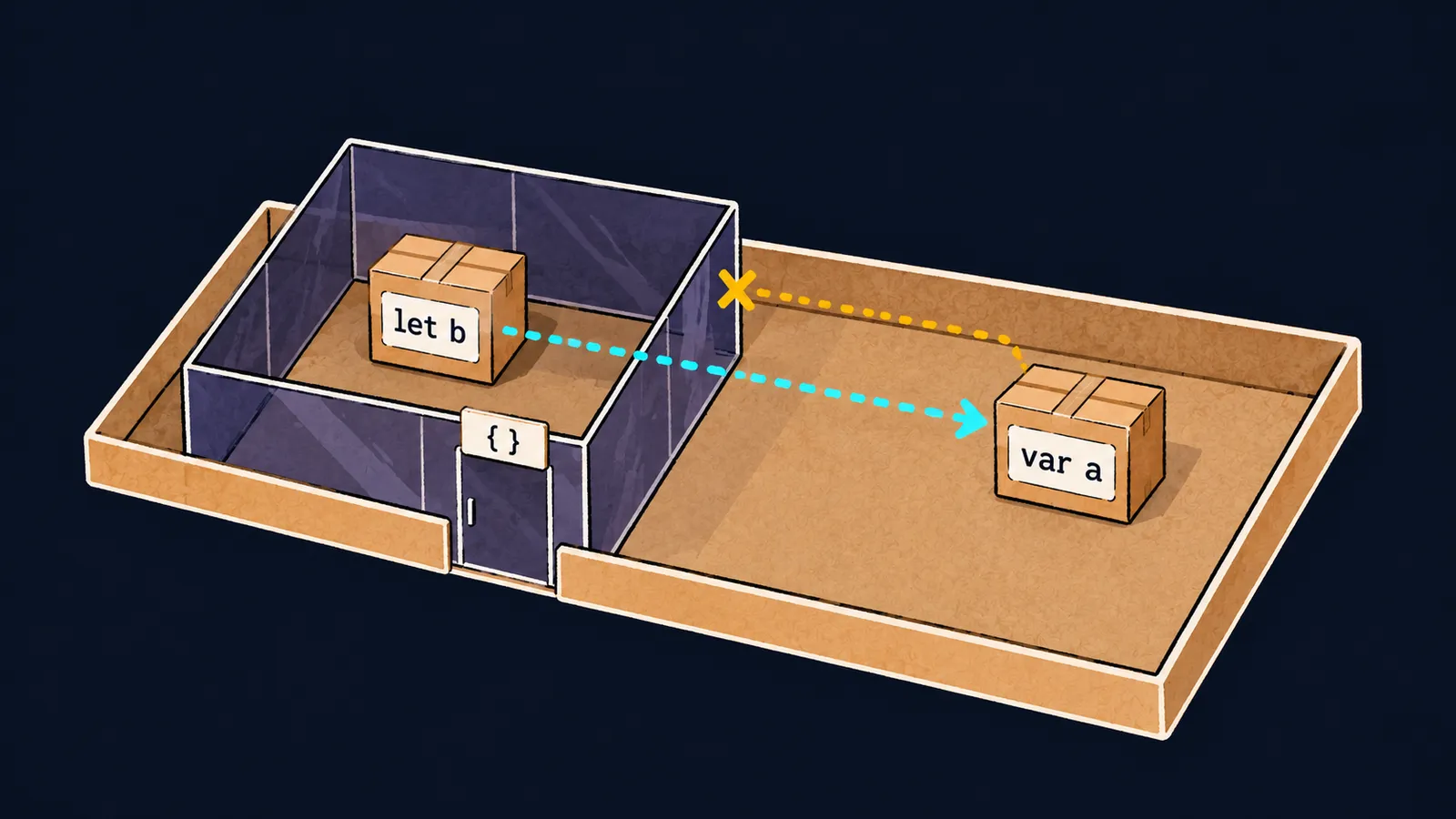
Picture an apartment where every room has walls of tinted glass. From inside a room you can see the room itself and the hallway beyond the glass. But from the hallway you cannot look into the room.
A thing left in a room exists only for whoever is in that room. Variables in JavaScript work in a similar way: where a variable is declared is where it is visible.
But different declaration words have "rooms" of different sizes. Here one if branch declares two variables, and after the branch only one of them can be read:
function show(n) {
    if (n > 0) {
        var a = n;
        let b = n * 2;
        console.log(a, b); // 5 10
    }
    console.log(a); // 5
}

show(5);
Let's walk through what happens on the call show(5):
- The condition
n > 0is true, and execution enters theifbranch. var a = nputs the number5intoa, andlet b = n * 2puts the number10intob.- Inside the branch both variables are visible, and the program prints
5 10. - After the branch's closing brace,
console.log(a)prints5: the variableaoutlived the branch.
If you put console.log(b) in place of the function's last line, the program stops with ReferenceError: b is not defined. The variable a is declared with var and b with let, and their visibility rules differ.
Blocks and scope
Scope is the part of a program where a variable's name can be read. A block is code in curly braces: an if branch, the body of a loop or a function. In our picture, a block is a room with glass walls.
Curly braces can also stand on their own, without if or for. Such a pair counts as a block too.
let and const live in a block
A variable declared with let or const is visible from its declaration line to the closing brace of its block:
- it is visible in nested blocks, the way the hallway is visible from a room;
- outside the block it does not exist;
- at the block's closing brace it disappears.
So two neighboring blocks can hold two different variables with the same name:
const limit = 10;

{
    const half = limit / 2;
    if (half > 2) {
        console.log(half); // 5
    }
}

{
    const half = 1;
    console.log(half); // 1
}
Let's see who sees what:
- The constant
limitis declared outside the blocks, so both blocks see it. - The first
halfis visible in its block and in the nestedifblock, and the program prints5. - At the first closing brace the first
halfdisappears. - The second
halfis a different constant, and the program prints1.
Here the room picture stops working. A real room stays there even when nobody is in it. A block, though, is created anew every time execution enters it, and it vanishes along with its variables at the closing brace.
var lives in the function
The word var is the old way to declare variables, and such a variable ignores blocks. It is visible in the whole function where it is declared, even after an if or a loop. This kind of scope is called function scope.
If a function is an apartment, a var variable stands not in a room but in the entrance hall: it is visible from any room of that apartment. Parameters follow the same rule: they are visible in the whole body of their function.
function lastSquare(n) {
    for (var i = 1; i <= n; i++) {
        var square = i * i;
    }
    return i + " " + square;
}

console.log(lastSquare(3)); // 4 9
Let's see where 4 9 comes from:
- The loop runs
ifrom1to3, and on the last passsquaregets9. - Then
i++makesiequal to4, the conditioni <= nbecomes false, and the loop ends. - Both variables outlived the loop, so
returnbuilds the string4 9.
If you replace both vars with let, the line with return stops the program with a ReferenceError. A var does not leave its function: outside lastSquare the names i and square do not exist.
Interviewers like to ask this: "What is the difference between var, let and const?" The answer has three parts:
varis visible in the whole function and ignores blocks;letandconstare visible only in their block;- a
constvariable cannot be assigned a new value.
New code uses let and const. var appears in old code, and you need to be able to read such code.
Common mistake
A variable is declared inside the branches of an if and read after them:
function label(n) {
    if (n > 0) {
        let sign = "plus";
    } else {
        let sign = "minus";
    }
    return sign; // ✗
}

console.log(label(5));ReferenceError: sign is not definedEach sign lives only in its own branch, and by the line with return both are gone. To read the variable after the if, declare it before the if with let sign;, and assign to it in the branches: sign = "plus"; and sign = "minus";.
Key points
- Scope is the part of a program where a variable's name can be read.
letandconstare visible from their line to the block's closing brace, nested blocks included.varignores blocks and is visible in the whole function, but not outside it.- A variable needed after an
ifis declared before theif, and the branches only assign to it.
Subscribe to take the course
The course is free. Sign in with Telegram and subscribe to the channel to open every lesson.
















