
Arithmetic
What you'll learn:
- compute a remainder and round with
%,Math.floorandMath.trunc; - compare values with
===and explain what makes==risky; - choose one of two values with
&&,||and??; - predict when JavaScript turns a string into a number, or a number into a string, on its own.
Arithmetic in a program is like a calculator with rules of its own. It adds, subtracts and divides as in school, but in a few ways it behaves differently. For example, it does not tell whole numbers from fractions.
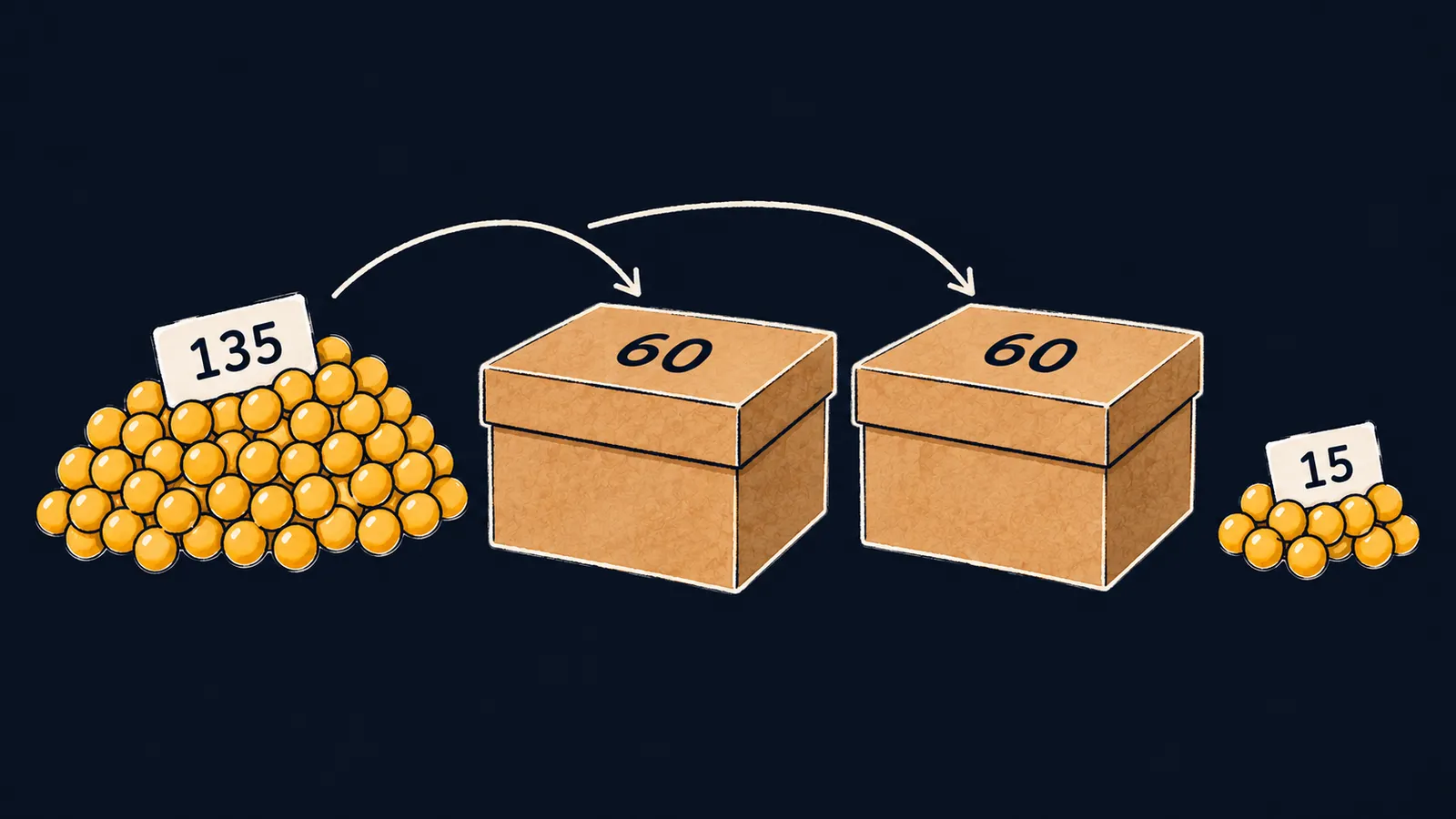
Take a task that comes up all the time: how many hours are in 135 minutes? To turn minutes into hours, you divide them by 60. The result is 2.25, not 2: in JavaScript whole numbers and fractions share one type, number, so / keeps the fraction.
const minutes = 135;
console.log(minutes / 60); // 2.25
console.log(Math.floor(minutes / 60)); // 2
console.log(minutes % 60); // 15
console.log(2 ** 10); // 1024
Let's walk through the program line by line:
minutes / 60prints2.25: two hours and another quarter of an hour.Math.floor(minutes / 60)drops the fraction and leaves2, the number of whole hours.minutes % 60prints15: the minutes that did not fit into whole hours.2 ** 10prints1024.
Remainder and power
Math.floor gives the whole part, and % gives the remainder of the division: 135 minutes are 2 hours and 15 minutes. The ** operator raises to a power: 2 ** 10 is the product of ten twos.
A handy way to picture the remainder: the minutes are packed into boxes, and each box holds exactly 60 minutes. Two boxes are full, and 15 minutes fit into none of them. Those 15 minutes are the remainder.
% divides fractions too: 5.5 % 2 is 1.5.
Order of operations
The order of operations is the same as in school:
- first
**; - then
*,/and%; +and-last.
Parentheses change this order: (2 + 3) * 4 gives 20.
Rounding
To understand rounding, picture a number line: smaller numbers on the left, larger ones on the right. The two ways of rounding behave differently on it:
Math.floorrounds down, toward the smaller number, so it always steps to the left;Math.truncdrops the fraction and keeps only the digits before the dot.
For positive numbers both give the same result, but for negative ones they differ: Math.floor(-3.5) gives -4, while Math.trunc(-3.5) gives -3. The number -4 is smaller than -3, so "down" for Math.floor means further from zero.
The sign of the remainder
The remainder from % has one peculiarity: its sign matches the sign of the left number, the one being divided. In math a remainder is never negative, but in JavaScript it can be:
console.log(-7 % 3, 7 % -3); // -1 1
console.log(253 % 10); // 3
Here the box picture stops working: you cannot put negative minutes into a box, yet % works with them and takes its sign from the dividend.
Where the remainder comes in handy:
- the remainder of a positive whole number divided by 10 is its last digit, like
3for253; - division by 2 tells even from odd: for an even number the remainder is
0, for an odd one1or-1.
Interviewers like to ask how to check whether a number is odd. The trap is the sign: -3 % 2 gives -1, not 1, so the check "the remainder equals 1" misses a negative odd number.
Changing a variable
To add a number to a variable, you do not have to write its name twice. total += 5 means the same as total = total + 5: as if five more coins went into the piggy bank total. This is compound assignment, and each operator has its own: -=, *=, /=, %=.
count++ adds one, and count-- subtracts one. Adding one is called an increment. All these forms change the variable, so it must be declared with let.
let total = 10;
total += 5;
total *= 2;
total++;
console.log(total); // 31
Step by step:
let total = 10puts the number10intototal.total += 5adds five: now it holds15.total *= 2multiplies by two:30.total++adds one, and the program prints31.
Common mistake
The average of two numbers is computed without parentheses:
const a = 4;
const b = 6;
const average = a + b / 2; // ✗
console.log(average); // 7
Division runs before addition, so the program computes 4 + 3 and prints 7 instead of 5. JavaScript reports no error, and the wrong number travels on into later calculations. Put the sum in parentheses: (a + b) / 2 gives 5.
Key points
/keeps the fraction;Math.floorrounds down, andMath.truncdrops the fraction.%gives the remainder, and its sign matches the dividend's:-7 % 3is-1.- First
**, then*,/and%, and+and-last; parentheses change the order. +=and the other compound assignments change a variable in place, and++adds one.
Subscribe to take the course
The course is free. Sign in with Telegram and subscribe to the channel to open every lesson.
















