
Warnings, fatal errors and Error
What you'll learn:
- tell a warning, a fatal error and a thrown
Errorobject apart by PHP's message; - throw and catch exceptions with
throw,tryandcatch; - know which
catchcatches anExceptionand which one anError; - run code in
finallywhatever happens, and declare your own exception classes.
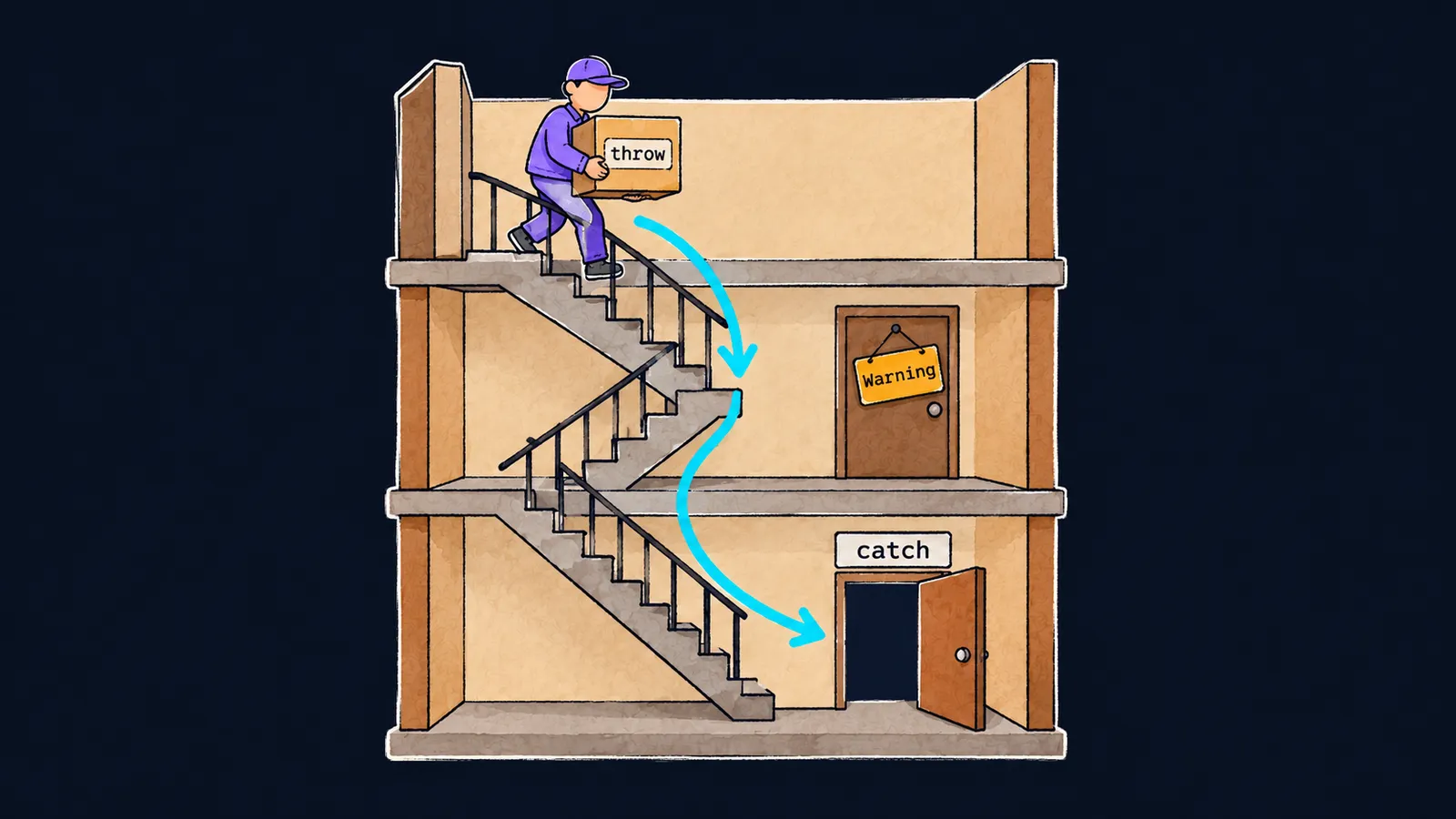
Picture a courier delivering parcels to the flats of a big building. The round rarely goes perfectly, but troubles come in different weights:
- Nobody is home. The courier leaves a note on the door and goes on to the next flat.
- The parcel cannot be delivered: there is no such recipient. The courier carries it back up the stairs until someone opens a door and takes it. If nobody does, the round ends.
- The lights go out in the building and the lift stops. The round is over, whatever the courier does.
A PHP program is the same kind of round: lines run one after another. In the first theme you already met Warning and Fatal error. Now let's see which failures PHP 8 has and how they differ.
A note on the door: a warning
As you already know, after a warning the program keeps running. Let's look at reading a key that the array does not have:
<?php

$prices = ['tea' => 30];
echo 'start', "\n"; // start
echo $prices['coffee'], "\n"; // ✗
echo 'end', "\n"; // endWarning: Undefined array key "coffee"Let's go through it line by line:
- The first
echoprintsstart. - The array has no key
'coffee'. PHP prints a warning, usesnullinstead, andechoprints an empty line. - The program goes on and prints
end.
A warning has two relatives, and after them the program keeps running too:
Deprecatedmeans "outdated": the code works now but will stop working in one of the next PHP versions. For example,strlen(null)givesDeprecated: strlen(): Passing null to parameter #1 ($string) of type string is deprecated.Noticeis the lightest note.
The parcel goes back: a thrown error
Since version 7, most failures that leave the engine—PHP's inner part—unable to run a line work differently. PHP throws an object: it creates an object describing the failure and sends it back along the chain of calls, like a parcel up the stairs. The object's class names the failure:
DivisionByZeroError—division by zero;TypeError—an argument of the wrong type, such as the string'four'for anintparameter;ArgumentCountError—fewer arguments than the function needs;Error—for example, a call to a function that does not exist,pritn().
Let the program divide by zero:
<?php

echo 'start', "\n"; // start
echo intdiv(10, 0), "\n"; // ✗
echo 'end', "\n";Fatal error: Uncaught DivisionByZeroError: Division by zerostart is printed, and end is not. The word Uncaught means "not caught": PHP threw a DivisionByZeroError object, but nothing in the program caught it.
A thrown object can be caught, and then the program keeps running. It becomes a fatal error only if nobody catches it all the way up.
Here the courier picture stops working. A real courier decides for themselves which trouble is minor. PHP decides nothing: for each failure it is fixed in advance whether it is a note or a thrown object.
The end of the round: a true fatal error
Some failures PHP does not throw; it stops the program at once. For example, when the program runs out of memory, you get Fatal error: Allowed memory size of … bytes exhausted, and no code can catch that. A parse error in the file you run behaves the same way: not a single line of it has run yet.
How a warning differs from a fatal error and from a thrown object is a common interview question. The answer fits in three points:
- a warning reports a problem, and the program goes on;
- a fatal error stops the program at once;
- a thrown object travels back along the chain of calls and stops the program only if nobody catches it.
Messages in development and on a server
Where these messages appear is decided by PHP's settings file, php.ini:
- On your computer, the development settings turn on
display_errors, and messages are printed right into the output, as in the course's examples. - On a production server it is off. Messages go to the error log, a file only the site's owner reads, while a visitor sees an empty page or an error page.
This is done for safety: a message shows file paths and line numbers, and a visitor has no reason to see them.
Common mistake
A warning is ignored because the program "works anyway":
<?php

$price = 120;
$total = $prise * 2; // ✗
echo 'Total: ', $total, "\n"; // Total: 0Warning: Undefined variable $priseBecause of a typo in the name, PHP read a variable that does not exist as null, and null * 2 is 0. The program did not stop and printed a wrong total. In development you see the warning, while on a server it silently goes to the log.
Read warnings and fix them right away: here you need $price instead of $prise.
Key points
Warning,NoticeandDeprecatedare notes: PHP reports a problem and keeps running the program.- Most engine failures throw an object, such as
TypeErrororDivisionByZeroError; uncaught, it givesFatal error: Uncaught …. - Running out of memory and a parse error in the file you run cannot be caught: the program stops at once.
- In development, messages are printed into the output; on a production server they go to the error log.


