
Variables
What you'll learn:
- create variables and change their values;
- explain why changing
$aafter$b = $adoes not change$b; - find a value's type with
var_dumpand predict whatechoprints; - convert values from one type to another and declare constants.
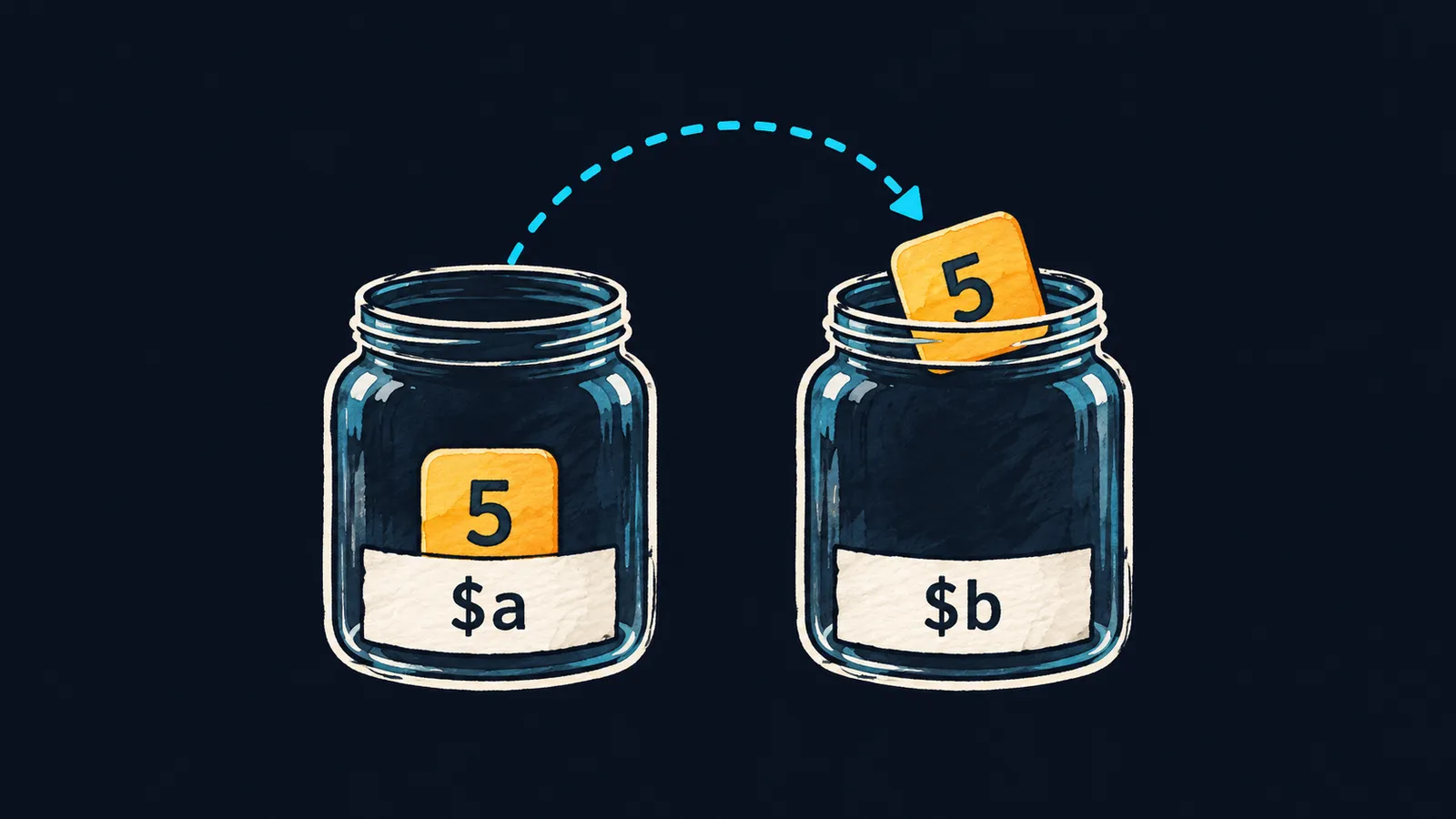
Picture a jar with a label. The label holds a name, and inside the jar is a value. You can find the jar by its name, look inside, or put something else in it. A program keeps its data the same way—in variables: named values you can read and change.
You already met one variable in the first theme: the parameter $x of the double function. Now let's create variables ourselves. A variable lets you remember a value once and then use it by name:
<?php

$name = 'Anna';
$age = 30;
echo $name, ' ', $age, "\n"; // Anna 30
$age = $age + 1;
echo $name, ' ', $age, "\n"; // Anna 31
Let's go through it line by line:
$name = 'Anna';creates the jar$nameand puts the string'Anna'in it.$age = 30;creates a second jar, holding the number30.echoprints what both jars hold:Anna 30.$age = $age + 1;reads30from$age, adds1and puts the result31back into the same jar.- The second
echoprintsAnna 31: nothing changed in$name.
You don't declare a variable in advance. It appears the moment you first put a value into it.
Variable names
A variable name in PHP always starts with the $ sign. The sign is part of the name: to PHP, $age and age are different things, and there is no variable without $.
The rules for the rest of the name:
- the first character after
$is a letter or an underscore, not a digit; - then come letters, digits and underscores;
- case matters:
$ageand$Ageare two different variables.
$Age = 40;
echo $age, ' ', $Age, "\n"; // 31 40
Here $Age is a new variable, and $age still holds 31. In this course, compound names are written as one word, with each word after the first starting with a capital letter: $userName, $itemCount. Most PHP projects follow this style.
Assignment
The = sign is assignment: PHP evaluates the right side and puts the result into the variable on the left. It is not equality from math. Read $age = $age + 1 like this: "put into $age what it held, plus one".
A new assignment replaces the old value. The previous one is gone: a jar always holds exactly one thing.
The jar analogy is not exact here. If you take the jam out of a real jar, the jar is empty. Reading a variable means looking at its value, not taking it away: after echo $age, $age holds the same number.
A copy on assignment
So what does the line $b = $a do? It does not stick a second label on the jar $a. PHP takes a copy of what $a holds and puts it into a separate jar $b. From then on each variable has its own value: changing $a does not change $b.
Let's check this on a program. Click "Next step" and watch $b and $greeting in the {main} frame: after their assignment they no longer change.
1<?php2 3$a = 5;4$b = $a;5$a = $a + 1;6$name = 'Anna';7$greeting = $name;8$name = 'Olga';9echo $a, ' ', $b, "\n";10echo $greeting, "\n";
The number 5 goes into the jar $a.
Both pairs of variables behave the same way:
$b = $acopies the number5, and after$a = $a + 1,$bstill holds5.$greeting = $namecopies the string'Anna', and the new value of$namenever reaches$greeting.- That is why the program prints
6 5andAnna.
Interviewers like to ask this: "What ends up in $b after $b = $a and a change to $a?" The answer: the value $a held at the moment of assignment. Assignment copies the value; it does not link the two variables.
Common mistake
A variable name was written with a typo:
$total = 10;
echo $totl, "\n"; // ✗Warning: Undefined variable $totlNothing was ever assigned to $totl, and PHP warns about it. But the script does not stop: nothing is printed in place of the value, and the lines below keep running. So read warnings even when the program runs to the end. The fix is the same name as in the assignment: echo $total, "\n";.
Key points
- A variable is a named value; its name starts with
$, and case in the name matters. =puts the value on the right into the variable on the left;$age = $age + 1writes a new value into the same variable.$b = $acopies the value at the moment of assignment: a later change to$adoes not change$b.- Reading a variable that was never assigned gives
Warning: Undefined variable, but the script keeps running.


