
Programs and the compiler
What you'll learn:
- explain how the text of a C# program becomes a running program;
- print text with
Console.WriteLineandConsole.Writeand predict where each line of output ends up; - read a compiler message and fix the error it found;
- tell top-level statements from the classic
Mainmethod.
A program is a recipe for a computer. A recipe lists its steps in order, and the cook follows them one after another, from top to bottom. A computer works the same way, only without guessing. A cook understands "salt to taste", but a computer does exactly what is written and nothing more.
A recipe for a computer is written in ordinary letters in an ordinary text file. Files with C# programs get the .cs extension. Here is the text of a whole program—it is one line long and prints a greeting:
Console.WriteLine("Hello, World!"); // Hello, World!The text after // is a comment: a note for people that does not affect how the program works. In the course examples, such a comment shows what the line prints, and a ✗ in a comment marks the line with a mistake.
There is one catch: a processor cannot read letters. The processor is the part of a computer that runs commands, and it understands only machine code: long chains of numbers, different for each kind of processor. So the program's text has to be translated, and in C# that translation happens in two stages.
The compiler as a strict proofreader
The first stage is the compiler: a program that checks the text against the rules of the language and translates it into a language closer to machine code. Picture a strict proofreader who reads the whole recipe before it reaches the kitchen.
The proofreader works by two rules:
- if the text breaks even one rule of the language, the proofreader returns it with marks: in which file, on which line and what is wrong;
- until the error is fixed, the recipe never reaches the kitchen, and not a single step runs, not even a correct one.
Here the proofreader picture stops working. A real proofreader would catch a misspelled word, but the compiler checks only the rules of the language, not the meaning. If you write "Helo, World!", the program runs, and you see the typo only in what it prints.
The intermediate language IL
The C# compiler does not translate the text straight into your processor's machine code. It translates it into the intermediate language IL—a set of commands for an imaginary universal processor—and writes the result into a file with the .dll extension.
Why the extra step? Computers differ:
- laptops mostly have Intel and AMD processors, while phones and newer Macs have ARM processors, and their machine code differs;
- some computers run Windows, others Linux or macOS, and the same program has to work on all of them.
The same IL file runs on any of these computers, as long as it has .NET, Microsoft's platform that C# programs run on. It is like a recipe rewritten in symbols: a cook in any kitchen in the world can read it, but a stove, like a processor, cannot cook from symbols.
The .NET runtime
The second stage is the .NET runtime: a program that loads the .dll file, translates the IL into machine code for this particular processor and runs it. It does not translate in advance but while the program runs: each piece of the program right before it is first needed. This last-moment translation is called JIT compilation.
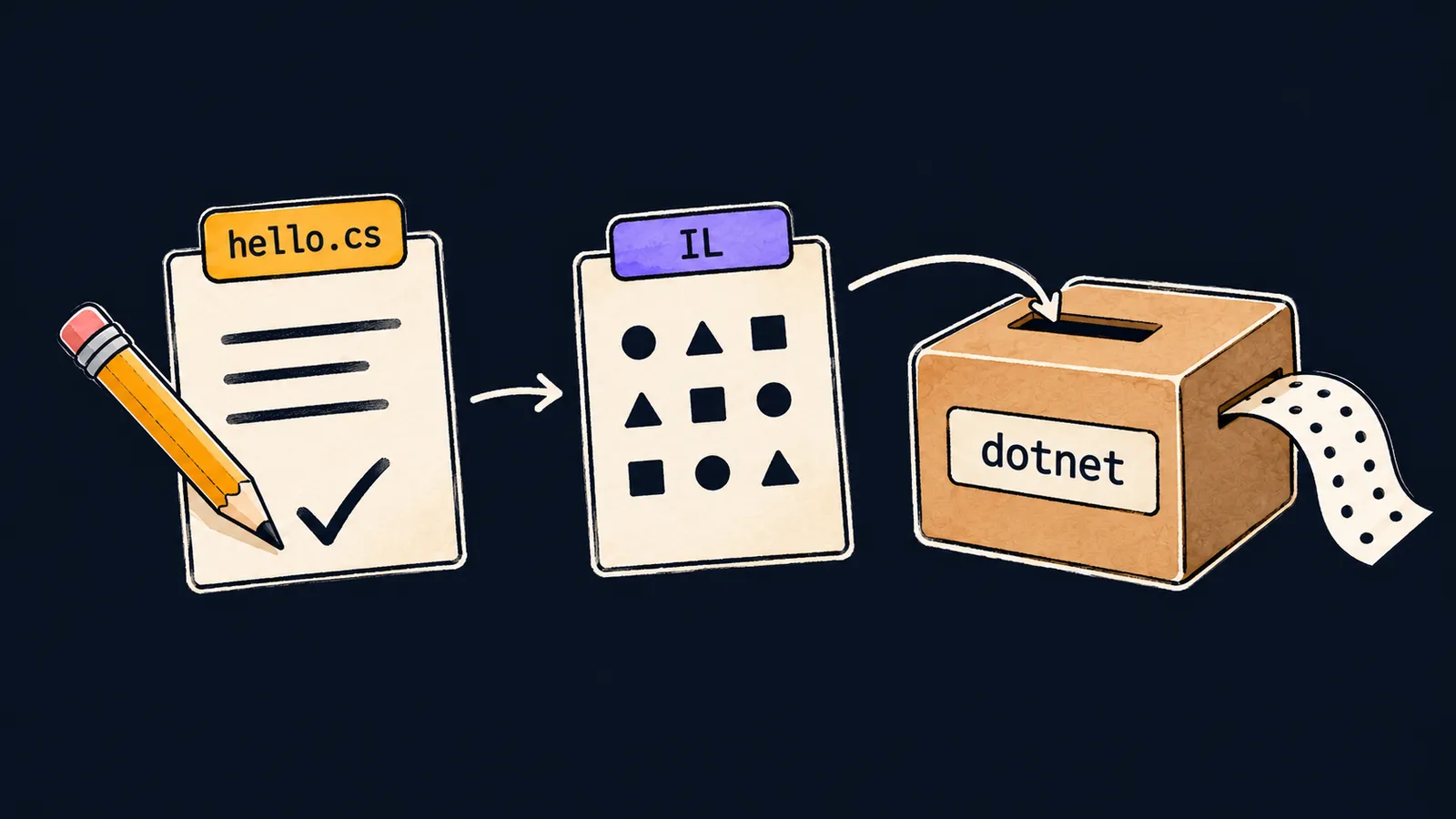
The whole path from text to a running program looks like this:
- You write the program's text in the file
hello.cs. - The C# compiler checks the text and translates it into IL, which it writes into a
.dllfile. - The .NET runtime loads that file and translates the IL into your processor's machine code.
- The processor runs the machine code, and the program prints
Hello, World!.
Interviewers like to ask about this path in these words: how does C# code become a running program? A good answer names all four links of this path: the compiler, IL in a .dll file, JIT compilation in the runtime and machine code.
Running with dotnet run
The compiler, the runtime and the dotnet command that drives them both are installed as one package, the .NET SDK. To run a program, take three steps:
- Save the program's text in the file
hello.cs. - Open a window for text commands—a terminal—in the folder with that file. In VS Code, open that folder and choose Terminal → New Terminal from the menu: the terminal opens right in it.
- Type the command
dotnet run hello.cs.
The command passes the file to the compiler and, if there are no errors, runs the result in the runtime right away. The .dll file ends up not next to hello.cs but in a separate folder that .NET keeps for such programs. If the compiler finds an error, the command prints it and runs nothing.
Common mistake
In the terminal, dotnet run is typed without the file name:
Couldn't find a project to run.When no file name is given, the command looks in the folder for a project file: it holds the program's settings. The programs in this course do without one, so the command prints this message and compiles nothing. On a computer set to Russian, the message starts with Не удалось найти выполняемый проект.
Type the whole command: dotnet run hello.cs. The same message appears if the terminal is open in a folder other than the one that holds hello.cs.
Key points
- The compiler checks the whole program text before it runs: with an error, not a single line runs.
- The C# compiler translates the text into the intermediate language IL and writes it into a
.dllfile. - The .NET runtime translates IL into machine code while the program runs—that is JIT compilation.
dotnet run hello.cscompiles the file and runs the program right away.


