
List<T>
What you'll learn:
- add, remove and read the elements of a
List<T>; - explain how
Countdiffers fromCapacityand how a list grows; - read the
<T>notation and write a generic method of your own; - look up a value by key in a
Dictionaryand keep values without repeats in aHashSet.
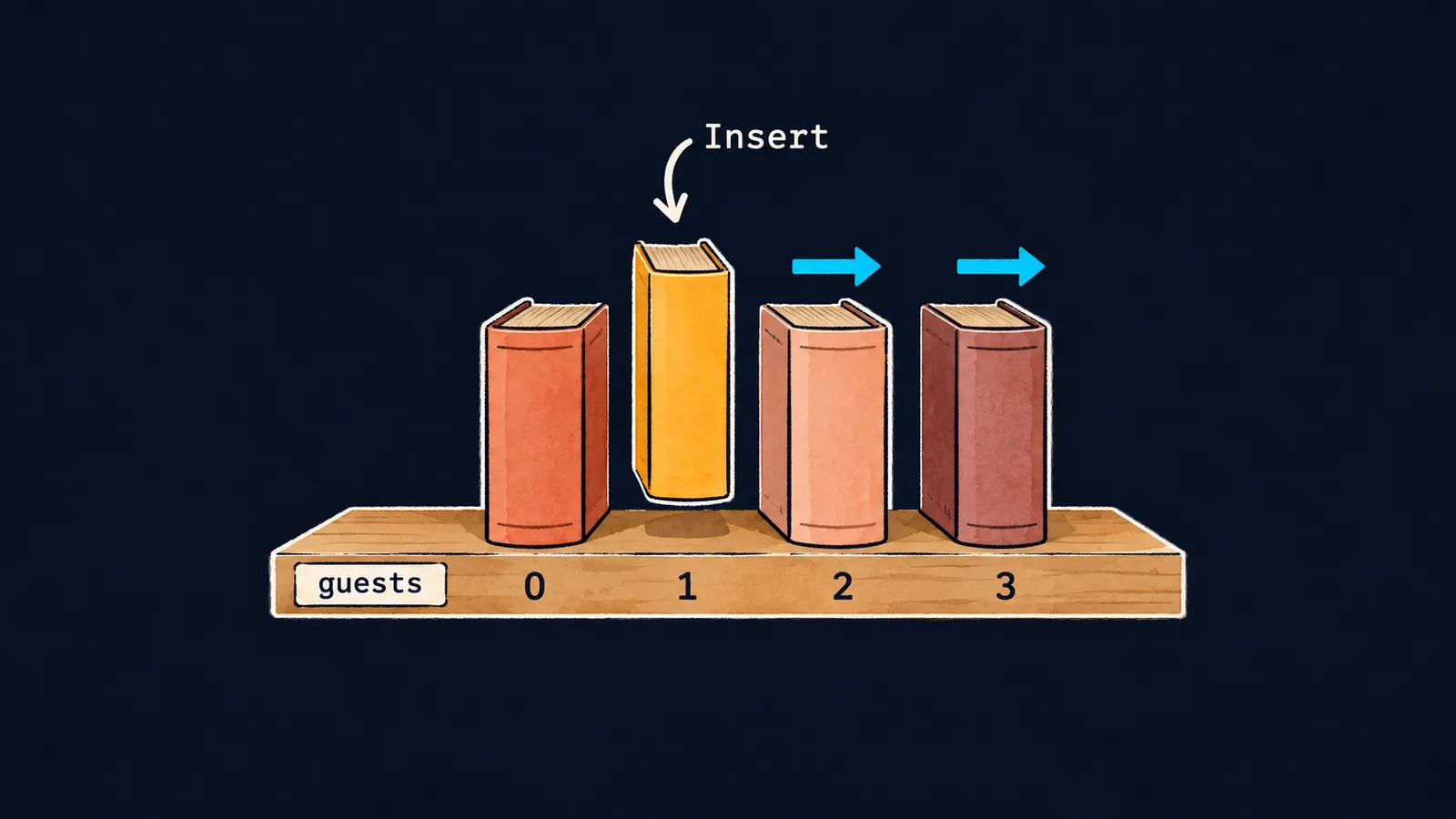
Picture a bookshelf. The books stand on it in order: you can put a new one at the end or squeeze it in between others. When you take one off, its neighbors move along. The row of lockers from the arrays theme cannot do that: the number of lockers never changes.
Why would a program need such a shelf? Say you are collecting the names of guests who signed up for a meeting. How many there will be is not known in advance. An array would have to be created with room to spare, or created again, one place longer, every time a new guest arrives.
For this .NET has the list: a collection of elements of one type that you can add new elements to and remove them from. It is the type List<T>:
List<string> guests = ["Ann", "Bob"];
guests.Add("Cid");
Console.WriteLine(guests.Count); // 3
Console.WriteLine(guests[2]);    // Cid
guests[0] = "Amy";
Console.WriteLine(string.Join(", ", guests)); // Amy, Bob, Cid
Let's go through the program line by line:
List<string> guestsdeclares a variable for a list of strings. The element type goes in angle brackets:List<string>is a list of strings,List<int>a list ofintnumbers.["Ann", "Bob"]creates a list of two elements, with the same square-bracket notation arrays use.guests.Add("Cid")puts a new element at the end of the list.guests.Countis how many elements the list holds now:3. An array hasLength, a list hasCount.guests[2]reads an element by index; indexes start at zero, as in an array. It printsCid. The square brackets with an index after a list's name are called the indexer.guests[0] = "Amy";replaces the first element.string.Joinjoins the list's elements with commas, as it does an array's.
The type List<T> lives in the namespace System.Collections.Generic. A .NET 10 program brings that namespace in by itself, so no using directive is needed here.
Creating a list
A list of values
You have already seen the square-bracket notation with arrays. Its type comes from the declaration on the left, so var guests = ["Ann", "Bob"]; does not compile: as with an array, it is error CS9176. An empty list is written [].
An empty list with new
new List<int>() creates an empty list. The type is visible on the right here, so the variable can be declared with var:
var squares = new List<int>();
for (int i = 1; i <= 4; i++)
{
    squares.Add(i * i);
}
int sum = 0;
foreach (int s in squares)
{
    sum += s;
}
Console.WriteLine(squares.Count); // 4
Console.WriteLine(sum);           // 30
The for loop adds the squares 1, 4, 9 and 16. The foreach loop walks the list from first to last, as it walks an array, and adds them up: 30.
Inserting and removing
A list can do what an array cannot: change its number of elements. It has three methods for that:
Insert(index, value)puts an element at positionindexand shifts the elements from that position on to the right;RemoveAt(index)removes the element at an index, and every element after it shifts to the left;Remove(value)removes the first element equal tovalueand returnstrue; if there is none, it returnsfalse.
List<string> guests = ["Ann", "Bob", "Cid"];
guests.Insert(1, "Dan");
Console.WriteLine(string.Join(", ", guests)); // Ann, Dan, Bob, Cid
guests.RemoveAt(0);
Console.WriteLine(guests[0]);            // Dan
Console.WriteLine(guests.Remove("Bob")); // True
Console.WriteLine(guests.Remove("Zoe")); // False
Console.WriteLine(string.Join(", ", guests)); // Dan, Cid
Step by step:
Insert(1, "Dan")putsDanat index1;BobandCidshift to the right.RemoveAt(0)takesAnnoff, and the rest shift to the left:Danwas second and is now first.Remove("Bob")findsBob, removes him and returnstrue.- There is no
Zoe, soRemoveremoves nothing and returnsfalse.
As on a shelf, an element's index is its place now, not a number for good. If an index falls outside the list, the program stops, as with an array, but the exception is a different one: ArgumentOutOfRangeException, not IndexOutOfRangeException.
Searching
A list has its own IndexOf and Contains. guests.IndexOf("Cid") works like Array.IndexOf: it returns the index of the first match, or -1 if there is none. guests.Contains("Cid") tells whether Cid is in the list: true or false.
List or array
Here the shelf and the list part ways. A real shelf fills up one day, and there is no room for a new book. A list, though, takes elements for as long as the computer has memory: it finds room for them by itself.
Interviewers often ask how a list differs from an array. The answer has two parts:
- an array's length is set when it is created and never changes after that;
- a list's number of elements changes with every
Add,Insert,RemoveandRemoveAt.
Common mistake
An element was removed from the list right inside foreach:
List<int> nums = [1, 2, 3];
foreach (int n in nums)
{
    if (n == 2)
    {
        nums.Remove(n); // ✗
    }
}Unhandled exception. System.InvalidOperationException: Collection was modified; enumeration operation may not execute.The program compiles, but when it runs it stops with an InvalidOperationException: the list was changed during the walk. foreach does not allow that, because otherwise the elements would shift after a removal and the loop would lose its place.
One known value is removed without a loop: nums.Remove(2);. To remove every element that matches a condition, walk the list with a for loop from the end, from nums.Count - 1 down to 0, and remove with RemoveAt(i). Removing from the end shifts only the elements the loop has already passed.
Key points
List<T>is a list of elements of typeT:AddandInsertadd elements,RemoveandRemoveAtremove them.Countis the number of elements in a list; indexes start at zero, as in an array.InsertandRemoveAtshift the elements after the given position, andRemovereturnstrueorfalse.- While
foreachwalks a list, the list must not change: the program stops with anInvalidOperationException.


