
Narrowing with typeof
What you'll learn:
- understand how a
typeofcheck changes a variable's type in each branch and afterreturn; - check values for
null, compare them, and tell objects apart withinandinstanceof; - describe variants with a discriminated union and catch a forgotten variant with
never; - write your own check functions with an
x is Tpredicate.
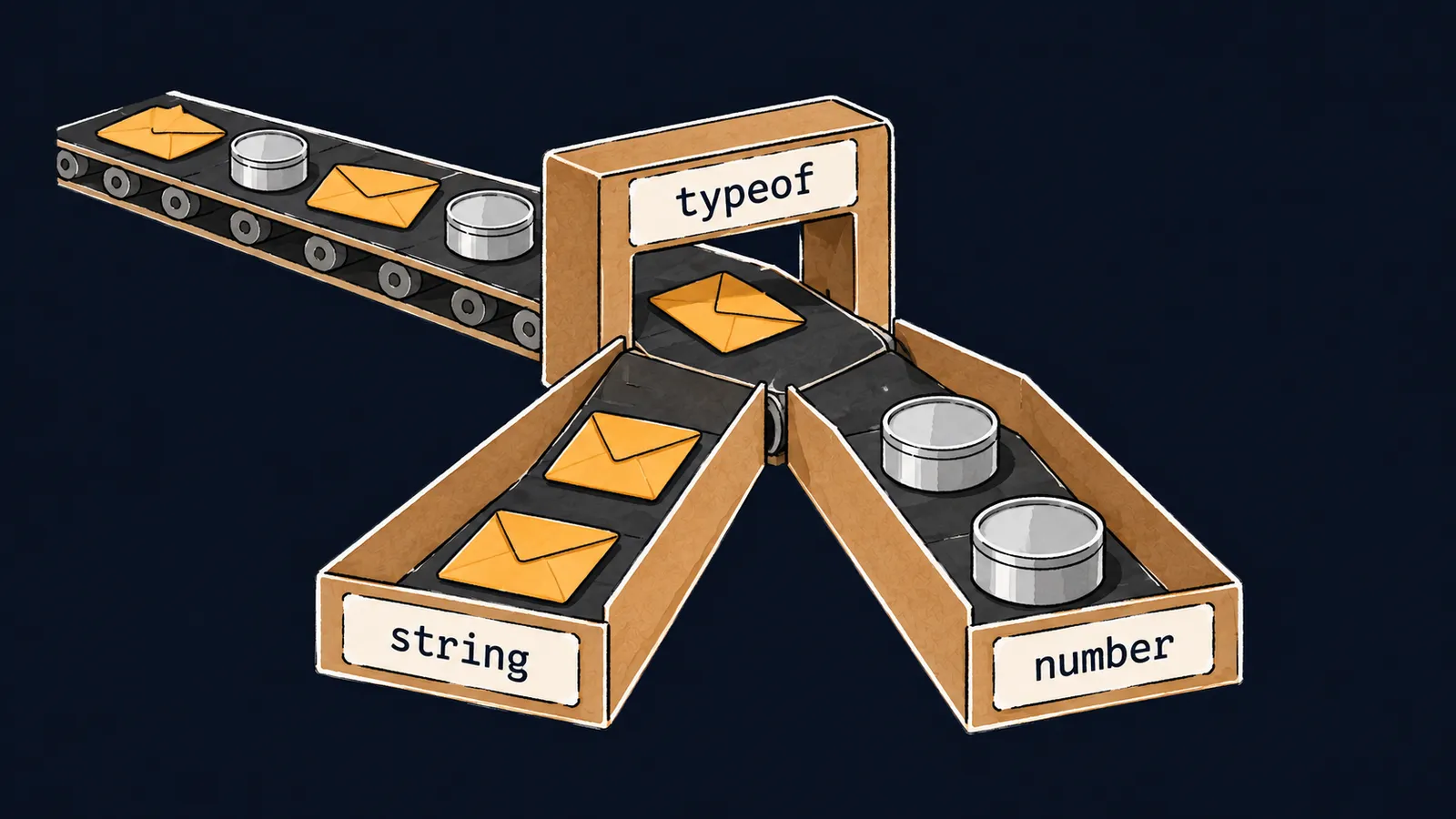
Picture a sorting belt at a post office. Flat envelopes and round tin cans ride on it, mixed together. While a parcel is on the shared belt, the worker knows only one thing about it: it is an envelope or a can. An envelope is opened with a letter opener, a can with a can opener, and you cannot grab a tool at random.
That is why an arch stands in the middle of the belt. It looks at each parcel and sends it down its own chute: envelopes to the left, cans to the right. In the envelope chute, any worker knows for sure that the item is an envelope and picks up the right opener at once.
In a program, the shared belt is a value of a union type. The quantity of an item in a cart comes from two places: from a form field as a string like " 4 ", and from code as the number 3. The toCount function must return a number in both cases:
function toCount(v: string | number): number {
    return Number(v.trim()); // ✗
}error TS2339: Property 'trim' does not exist on type 'string | number'.
Property 'trim' does not exist on type 'number'.Only strings have the trim method, and v may hold a number. If this JavaScript ran with a number, the program would crash on this line. We need that arch: a check after which it is clear what exactly v holds.
The typeof check
You know such a check from JavaScript: the typeof operator returns a string naming the kind of value. TypeScript reads this condition and gives the variable its own type inside each branch:
function toCount(v: string | number): number {
    if (typeof v === "number") {
        return v;
    } else {
        return Number(v.trim());
    }
}

console.log(toCount(3));     // 3
console.log(toCount(" 4 ")); // 4
Let's walk through the example line by line:
typeof v === "number"is an ordinary JavaScript check. When the program runs, it compares the stringtypeofreturned with the word"number".- Inside the
if,vhas the typenumber: only numbers get here, soreturn vfits thenumberresult. - One variant is left in the
else—string—and the callv.trim()compiles. - The program prints
3and4.
When the compiler uses a check in the code to leave a variable fewer variants than its declaration has, this is called narrowing. The typeof check is the arch on the belt, and the if and else branches are the two chutes.
The check itself stays in the JavaScript file and works when the program runs. Narrowing exists only for tsc: it is a conclusion the compiler draws from your code, and nothing of it is left in the .js.
Narrowing after return
You can leave out the else branch. If the number branch ends with return, with a number the function finishes right in that branch. Only a string reaches the lines after the if—and TypeScript sees this: the narrowing lasts until the end of the function.
Step through the function and watch which type the hover shows on each highlighted line:
1function toCount(v: string | number) {editor hoverv: string | number2 if (typeof v === "number") {3 return v;4 }5 const text = v.trim();6 return Number(text);7}8 9const a = toCount(3);10const b = toCount(" 4 ");11console.log(a + b);
On entry, v may be a string or a number.
This version has neither a result annotation nor an else. On line 5, v has the type string: a number never gets there, because its branch ended with return. TypeScript inferred the result type too: both branches return a number.
Interviewers like to ask what narrowing is. The answer: the compiler follows the checks in the code—typeof, comparisons, return—and at each point of the program gives a variable the type it can have there.
What typeof sees
Here the picture parts ways with TypeScript. The arch examines the parcel itself and can notice anything. typeof sees the value only when the program runs, and by then TypeScript's types are gone: they were erased at compile time. So typeof returns one of eight JavaScript words, and the name of your type is never among them:
type User = { nick: string };

function nickOf(u: User | string) {
    if (typeof u === "User") { // ✗
        return u.nick;
    }
    return u;
}error TS2367: This comparison appears to be unintentional because the types '"bigint" | "boolean" | "function" | "number" | "object" | "string" | "symbol" | "undefined"' and '"User"' have no overlap.tsc lists all eight words typeof can return and reports that "User" matches none of them. Such a check would be false for any value. typeof calls a plain object "object", so typeof u === "object" works here: inside that if, u has the type User.
Common mistake
The number branch is missing its return:
function show(v: string | number) {
    if (typeof v === "number") {
        console.log(v.toFixed(1));
    }
    console.log(v.trim()); // ✗
}error TS2339: Property 'trim' does not exist on type 'string | number'.
Property 'trim' does not exist on type 'number'.The number branch does not end with return, so after the if execution goes on with a number too. For tsc, v there has the full type string | number again, and it does not allow trim. If this JavaScript ran with a number, the program would crash with TypeError: v.trim is not a function. There are two fixes: end the branch with return, or move the trim line into an else.
Key points
- The check
typeof v === "number"narrows the type: inside theif,vis anumber, and in theelseit is the remainingstring. - If a branch ends with
return, the narrowing lasts until the end of the function: after theif, onlystringis left. - With neither
returnnorelse, the variable has its full union type again after theif. typeofknows only the eight kinds of JavaScript values: it cannot check a TypeScript type name.


