
Generic functions
What you'll learn:
- write generic functions that keep the exact type of a value;
- understand how TypeScript infers the type parameter
Tfrom the arguments of each call; - limit a type parameter with
extends; - describe generic types and classes, and read
Array<T>,Map<K, V>andSet<T>.
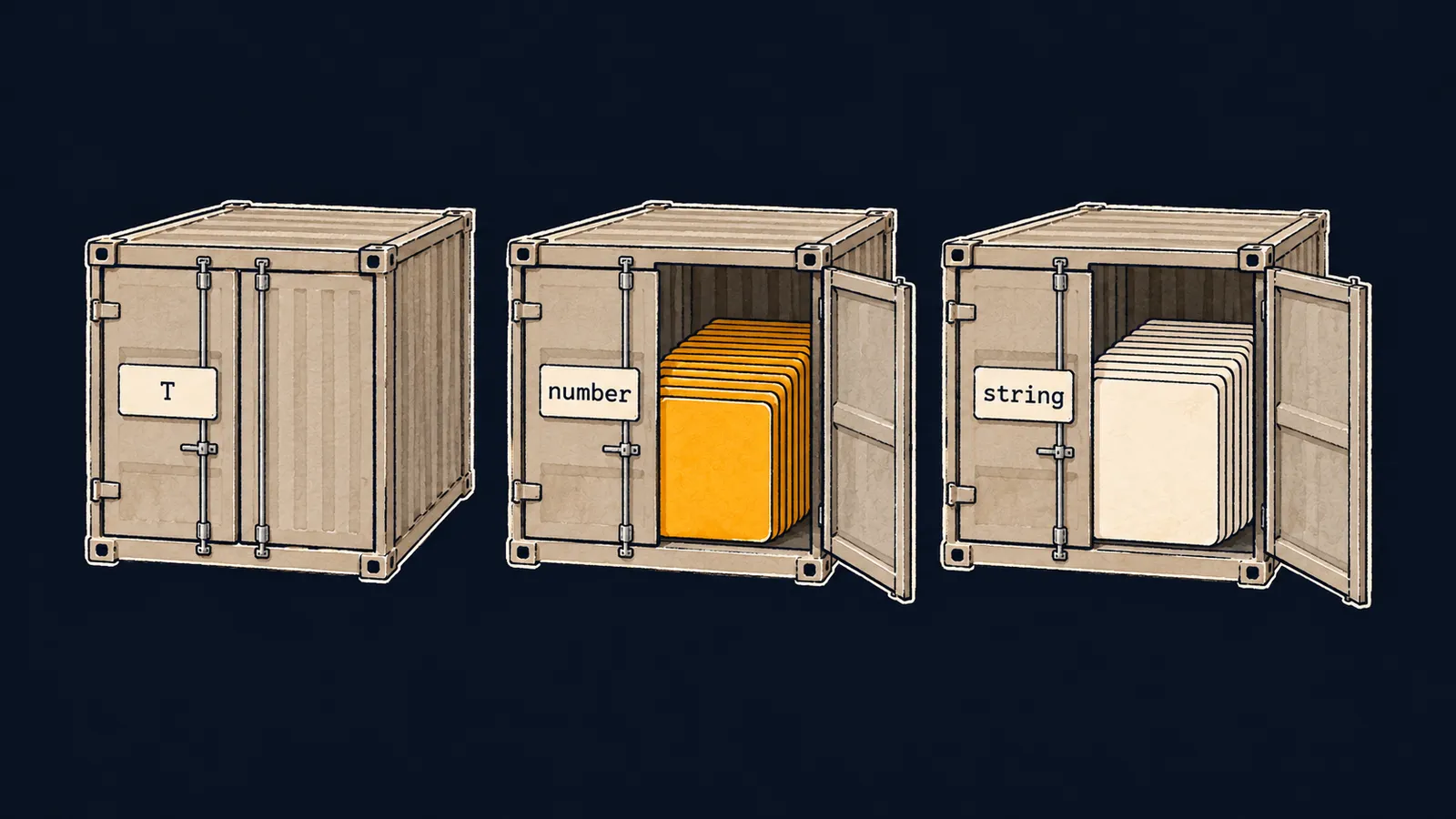
Picture a seaport. All its containers are the same: steel walls, doors, a lock. One is loaded with furniture, another with bananas, a third with books. One design serves any cargo, and to show what is inside, each door has a label holder. It is filled in at loading, and a port on the other side of the world knows what is inside without opening the doors.
Functions can be containers like that. The function first returns the first element of an array, and it does not care what the array holds. In JavaScript you write it once. How do you describe its types in TypeScript?
The first thing that comes to mind is the any type. There is one function and it takes any array, but the label has been torn off the container:
function first(xs: any[]): any {
    return xs[0];
}

const price = first([100, 250]);
console.log(price.toUpperCase()); // ✗TypeError: price.toUpperCase is not a functiontsc stays silent: price has the type any, and checking is off. Only whoever runs the program sees the error. The second way is a copy of the function per type: firstNumber, firstString and so on. Checking works, but you write the same body again and again.
The type parameter T
A generic function declares a type parameter in angle brackets after its name: a name like T that a real type replaces at every call. This is the label holder:
function first<T>(xs: T[]): T | undefined {
    return xs[0];
}

const price = first([100, 250]);
const city = first(["Paris", "Rome"]);
console.log(price, city); // 100 Paris
Let's take the declaration apart:
<T>after the name declares the type parameterT;xs: T[]is the function's parameter: an array whose elements are all of typeT;T | undefinedis the result type: an element of the same typeT, orundefinedfor an empty array.
Let's see what happens at the calls:
first([100, 250])gets an array of numbers, and TypeScript fills in the label:Tbecomesnumber. The editor's hover onpriceshowsnumber | undefined.first(["Paris", "Rome"])gets an array of strings, and hereTisstring.cityhas the typestring | undefined.console.logprints100 Paris.
There is one function, and each call gets its own result type. And checking is back:
function first<T>(xs: T[]): T | undefined {
    return xs[0];
}

const price = first([100, 250]);
console.log(price?.toUpperCase()); // ✗error TS2339: Property 'toUpperCase' does not exist on type 'number'.tsc knows that price holds a number or undefined, and finds the mistake before the program runs.
Interviewers often ask why you need generics and how they are better than any. The answer: a generic function works with any type and still links the input type to the result type, while any breaks that link and turns checking off.
An explicit type argument
The type put in place of T is called a type argument. TypeScript usually finds it by itself, but you can also write it explicitly, in angle brackets at the call: first<number>([100, 250]). Then TypeScript does not infer T; it checks the arguments against the given type. The call first<number>([1, "2"]) does not compile:
error TS2322: Type 'string' is not assignable to type 'number'.It is like a label written before loading: cargo that does not match it is not let into the container.
Here the port picture ends. In a port the label travels with the container, while T, like every type, exists only for tsc. In the JavaScript file the function becomes function first(xs), with no angle brackets.
Common mistake
A generic function returns a value of a concrete type:
function firstOr<T>(xs: T[]): T {
    if (xs.length === 0) {
        return 0; // ✗
    }
    return xs[0];
}error TS2322: Type 'number' is not assignable to type 'T'.
'T' could be instantiated with an arbitrary type which could be unrelated to 'number'.The second line of the message gives the reason: any type unrelated to number may be put in place of T. T is chosen by whoever calls the function, not by the function itself. The call firstOr(["Paris"]) expects a string, and 0 would deceive it. It is like loading bananas in advance into a container whose label the sender will fill in.
A fallback value is passed as a parameter of the same type: function firstOr<T>(xs: T[], fallback: T): T. Then the calling code chooses it, and the types match.
Key points
- A generic function declares a type parameter
<T>, and at every call a real type takes the place ofT. first<T>(xs: T[]): T | undefinedlinks the element type to the result type: for an array of numbers the result isnumber | undefined.anyalso accepts any array, but it loses the result type and turns checking off.- A type argument can be written explicitly,
first<number>(…), and then TypeScript checks the arguments against it.


